
Progressive CMS
Imagine your website. Tell your AI agent.
Describe the website you want. Your AI agent builds the design, pages and content; you review and direct the work. Then manage the finished site in a normal CMS, with your team and on your infrastructure. Progressive CMS is publicly available as open-source software.

Describe the website you want. 
The agent builds the design and pages. 
Review it. Ask for changes. 
Your site grows. You stay in control.
You describe. The agent builds.
An AI agent is a software assistant that carries out tasks using files and tools. Codex from OpenAI and Claude Code from Anthropic are examples.
Describe your idea, review the result and give direction, as you would with a designer or developer. With configured access to Progressive CMS, your agent can build the theme, create pages and prepare content. Explore the workflow, or read the guide written for agents.
Progressive CMS gives your agent a direct connection through REST API, CLI or MCP (Model Context Protocol). These machine interfaces let authorized agents manage CMS content and follow the validation, preview and publication workflow. Explore REST API, CLI and MCP management.
Start with the website you imagine.
Your brief: “A bright website for a small hotel: generous photographs, rooms, a restaurant and the story of the place.”
The result: The agent builds a theme, sections and pages in Progressive CMS. You get a working first version to open, review and discuss.

Review. Direct. Refine.
Your feedback: “Give it more space. Use softer typography. Make the rooms the focus.”
The result: The agent revises the website in response. You review it again and guide the next change until it fits your brief.

Add something new the same way.
Your next task: “Add a page about the garden, an article on local walks and news of our new terrace.”
The result: The agent prepares pages, copy, images and search metadata. You check the facts, refine the material and decide what to publish.
Edit it yourself whenever you want.
Your own edit: “I will replace this photograph and update the room description in the admin.”
The finished site remains a manageable website. Text, photographs, sections and articles stay editable. Work by hand, ask the agent again or bring in your team.
A finished site. Control in your hands.
The agent helps create and update the site; you manage the result. Edit copy, replace photographs, organize sections, prepare search metadata and choose when to publish. These are real screens from the English instance’s admin.
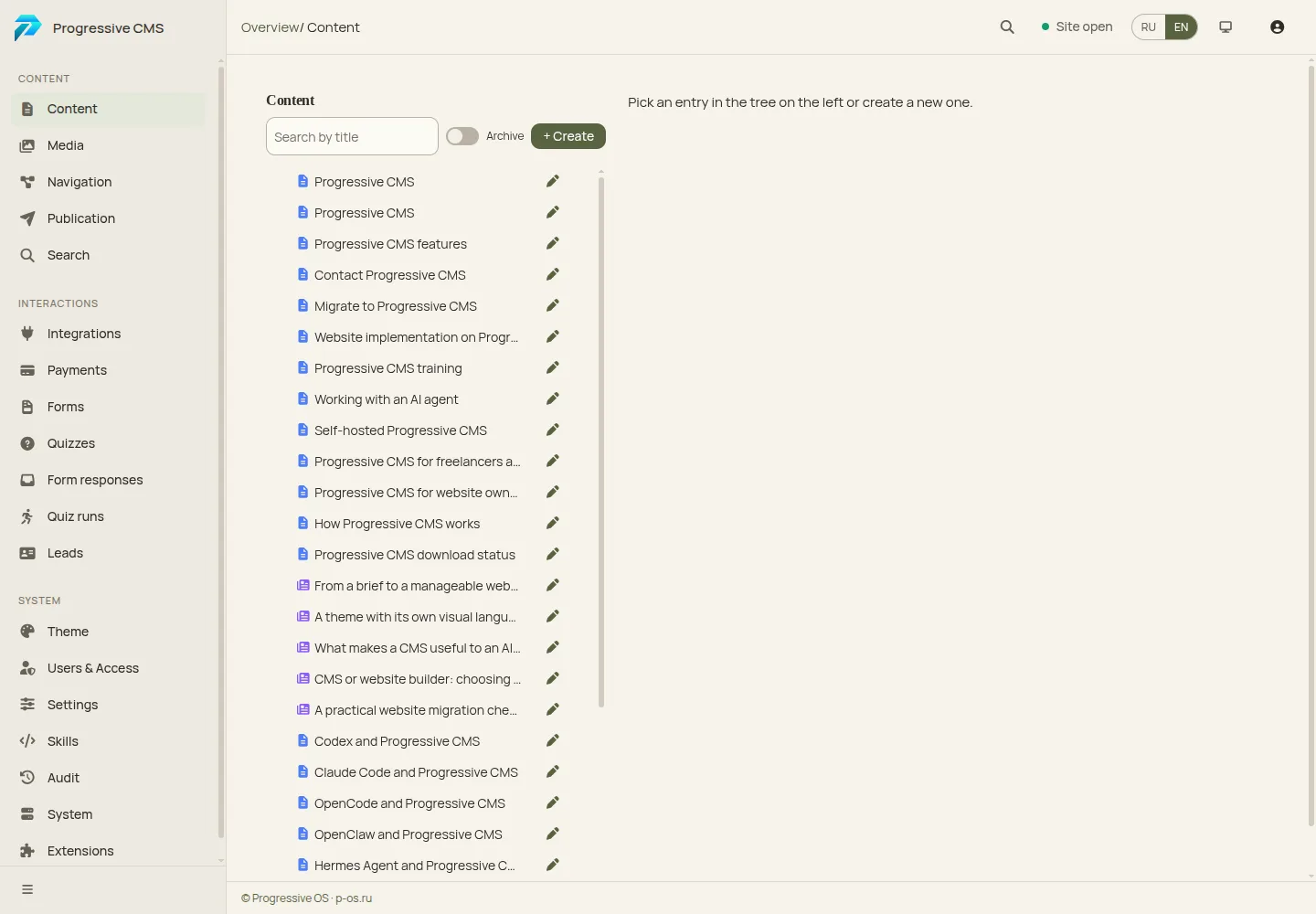
Organize your pages and sections. 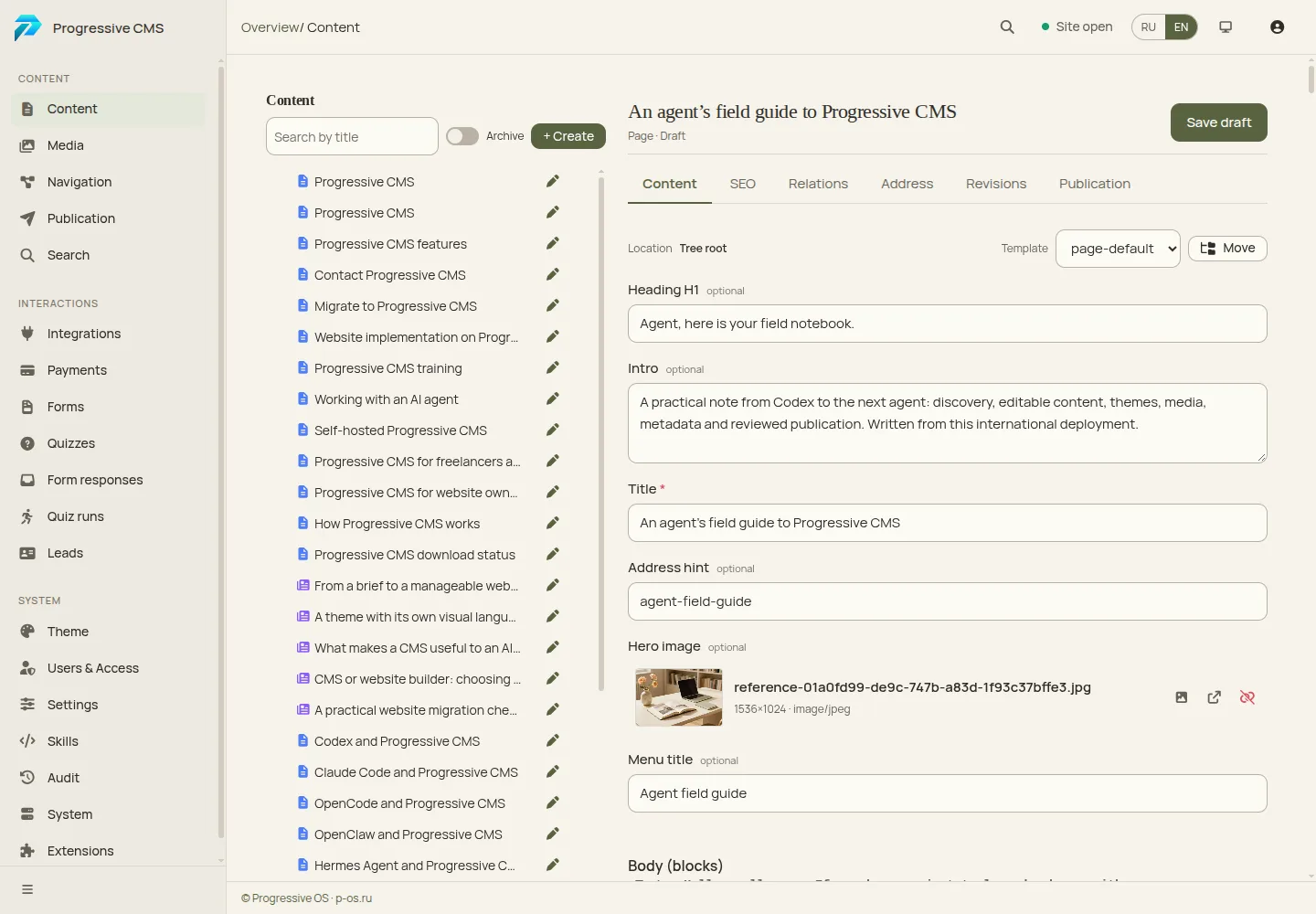
Edit articles and updates yourself. 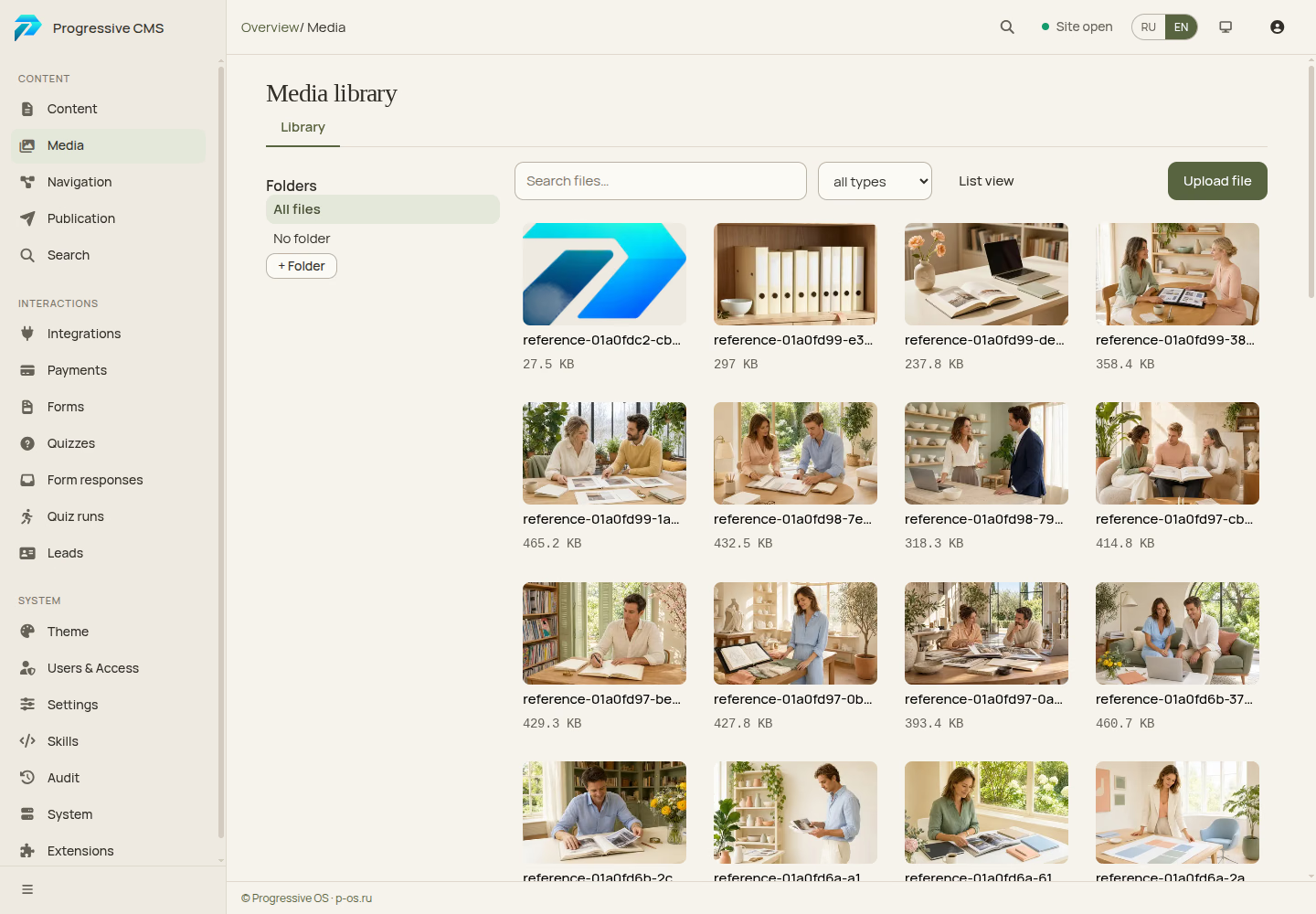
Find and manage your images. 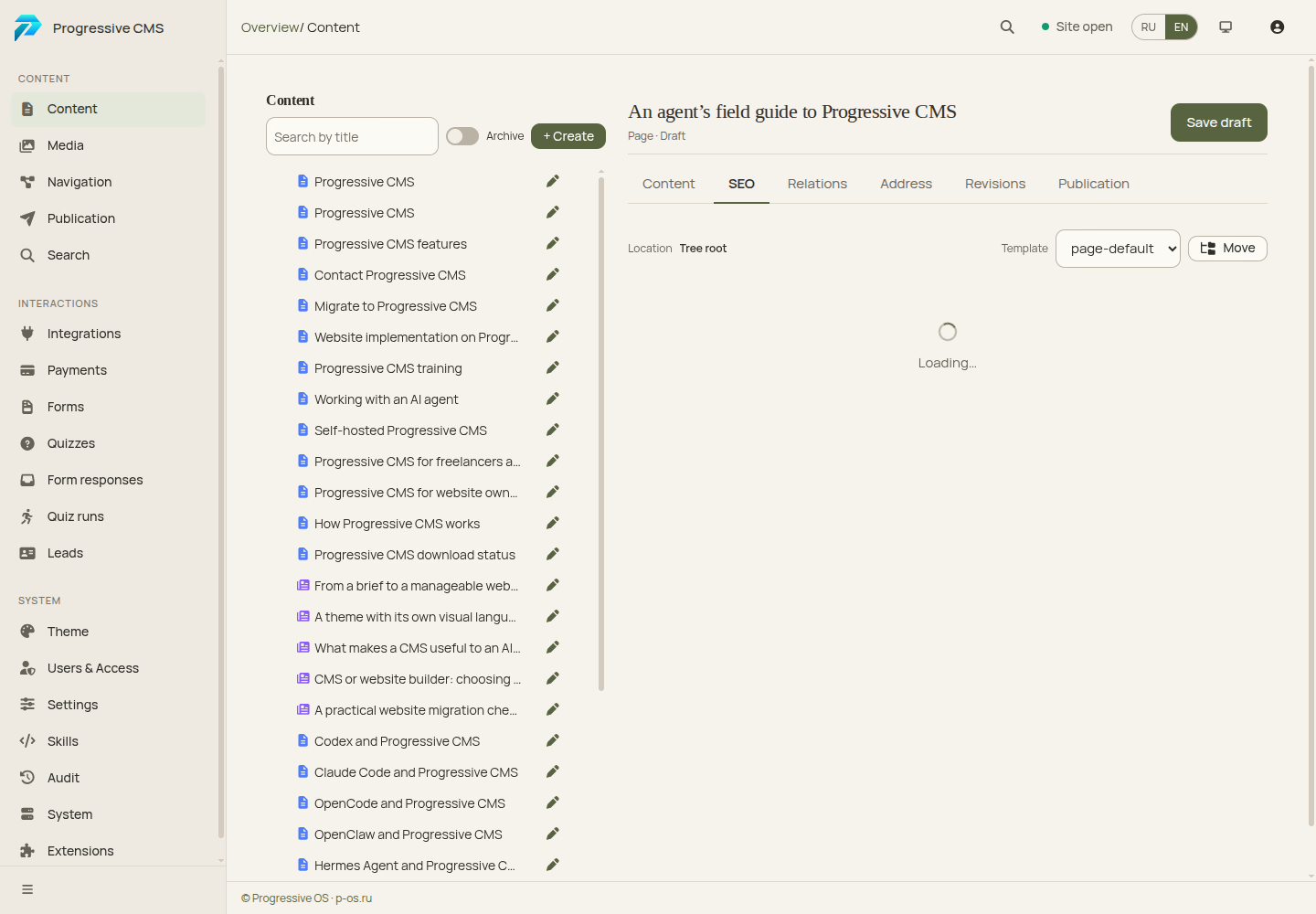
Prepare each page for search. 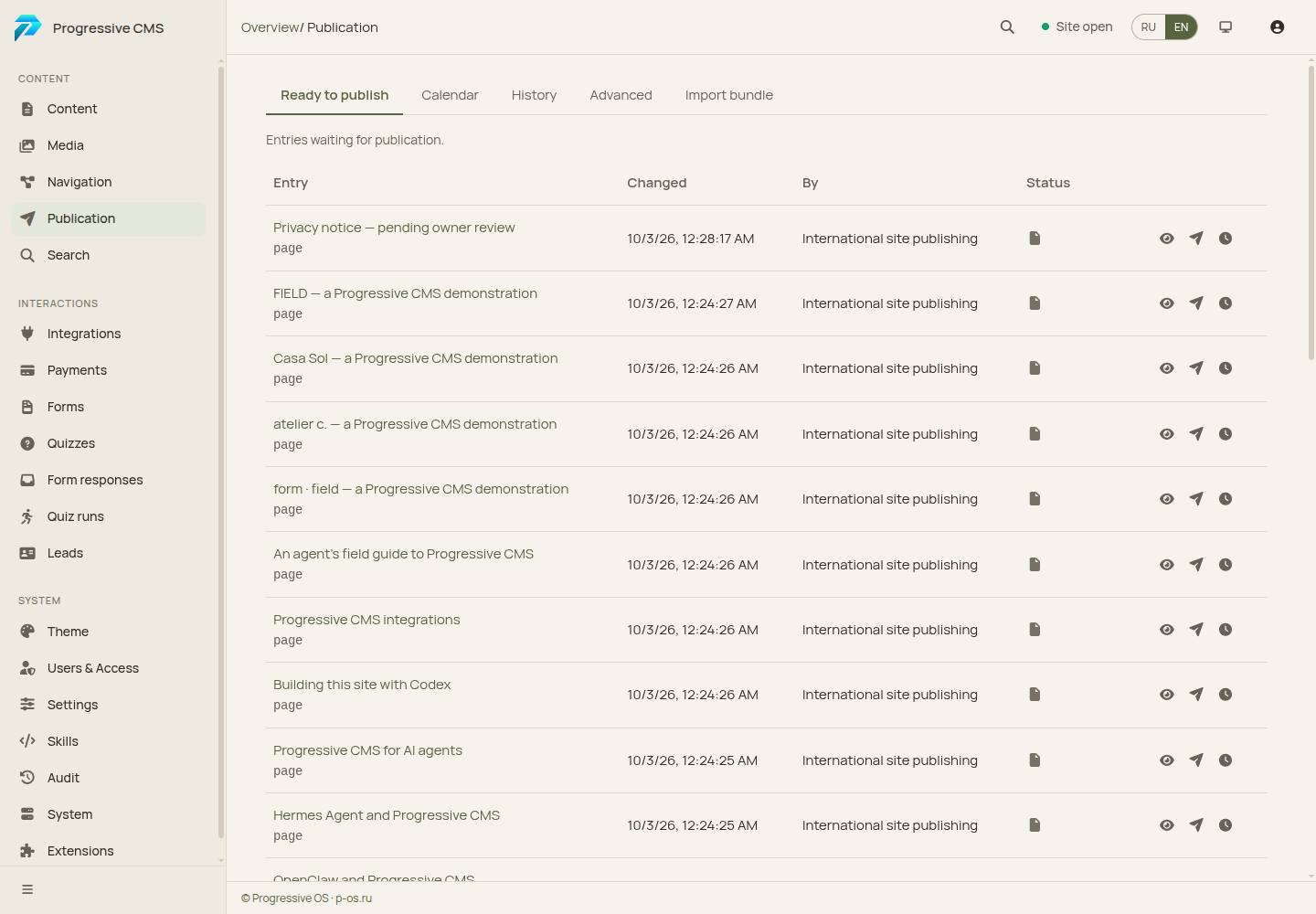
Review the result. Decide when to publish. 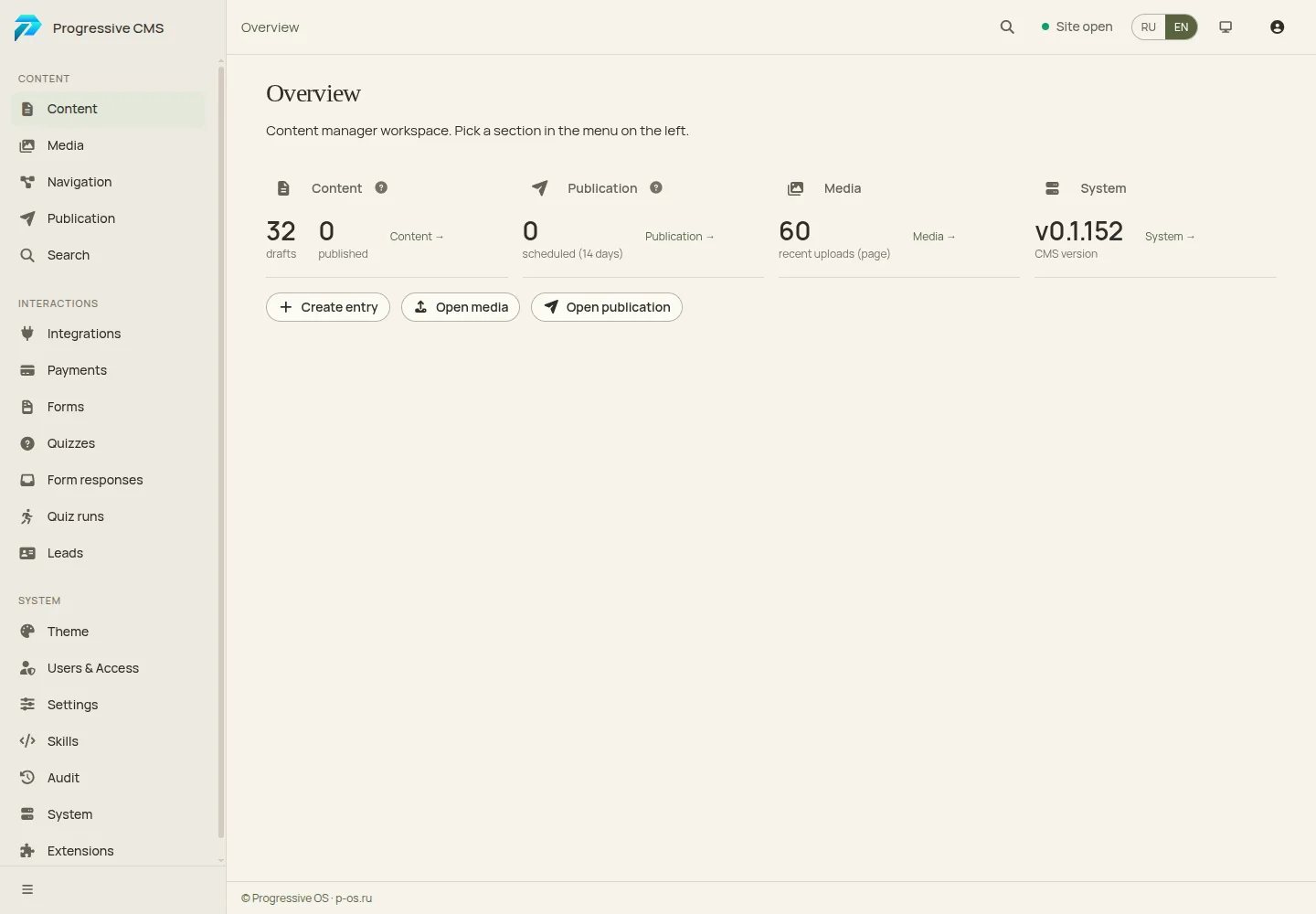
See the state of your website.
Your design. Room to make it your own.
Show the agent references or describe how the site should feel. Build a distinctive composition, typography and motion around your content. When you need another font, a new section or a bolder layout, ask for it. The project keeps its own theme, while the content stays manageable in the admin.

One CMS. Four very different websites.
Explore four complete demonstration websites, each with its own typography, structure, composition and motion. Open a world here or in a separate page. These are design demonstrations, not client projects. Their images are generated.
Architecture / form · field
A sense of place.
Spaces where material, light and human life meet.

Selected spaces.
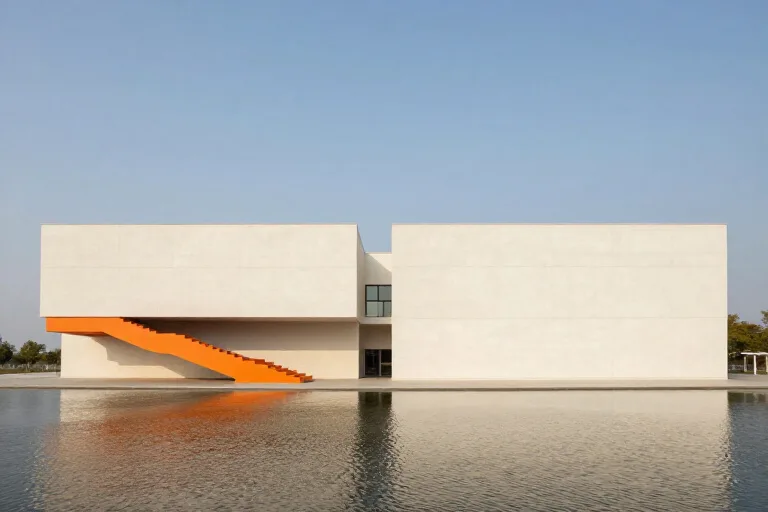
Space for light. 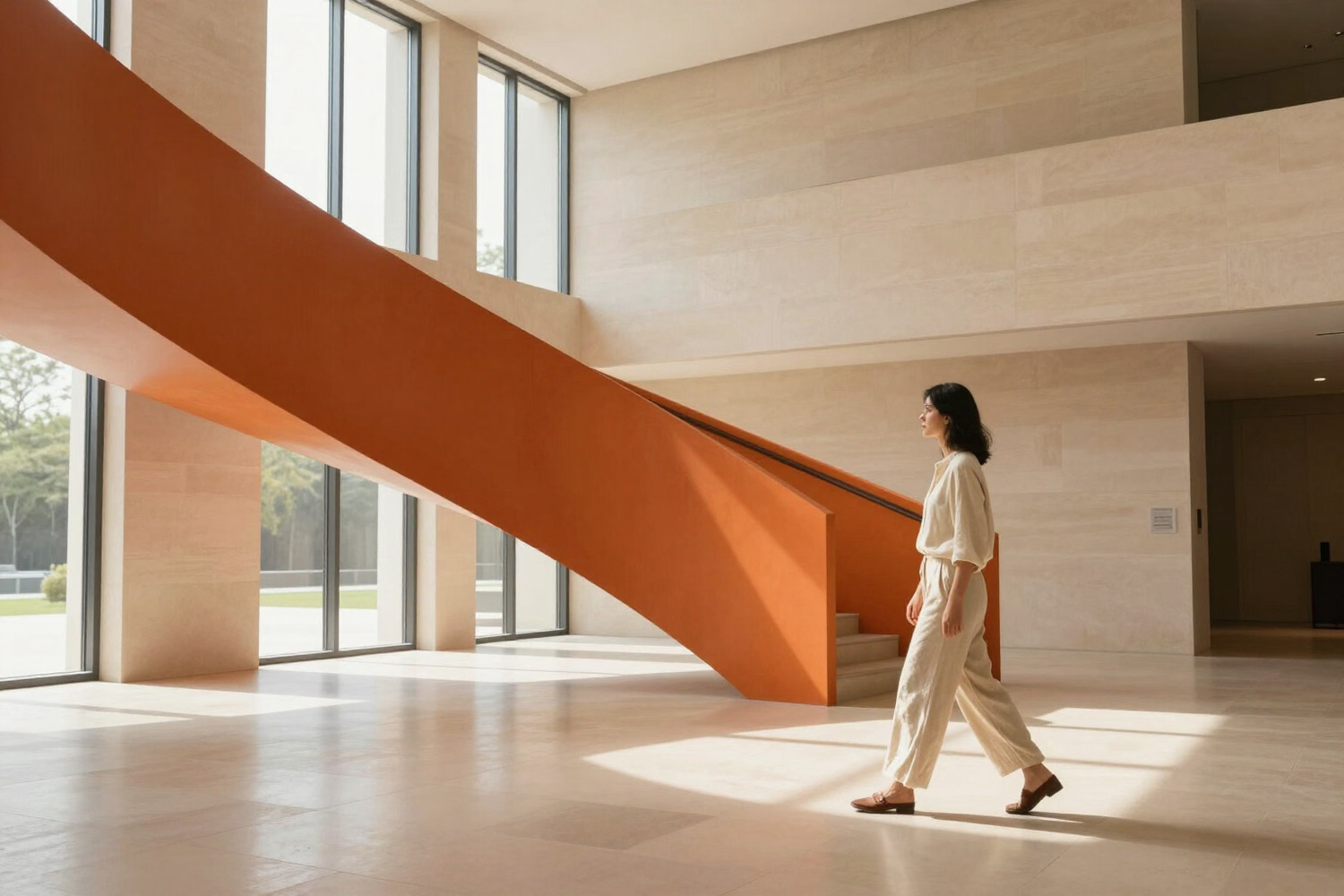
Quiet in the material. 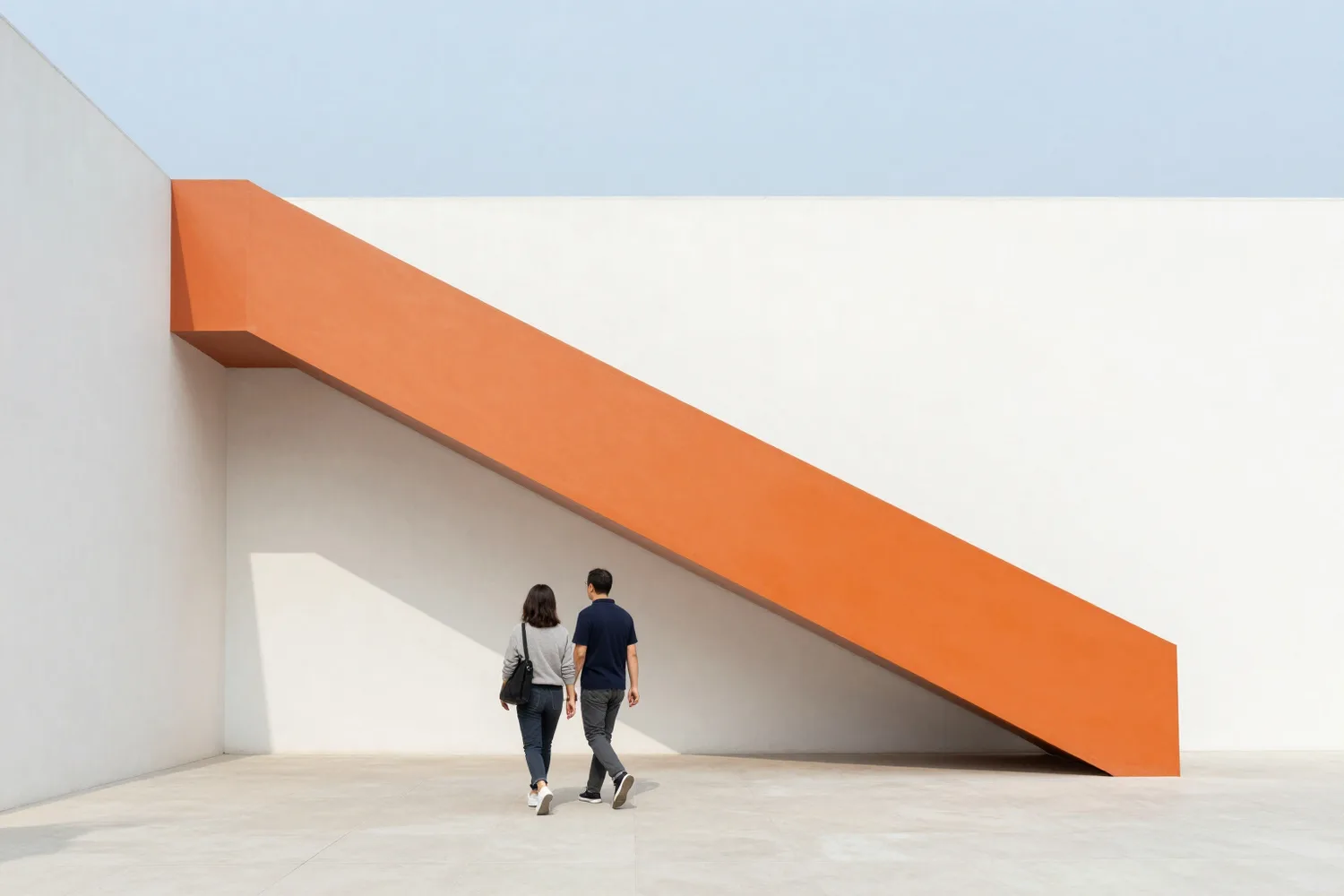
An orange line. A conversation between volume and color.


Designing how we inhabit a place.
We start with the life that will unfold inside: daily routes, familiar light and the habit of leaving a window open.
Architecture becomes part of that life. Materials belong to the place; rooms leave space for the people in them.
First a line. Then a life.
Intent. Listen, explore the site and find a starting point.
Space. Study light, proportion and the relationships between rooms.
Material. Choose what will age well. Explore the house through its plan, light and texture.

Website concept
A place begins with a conversation.
Fashion / atelier c.
Shape your own.
Objects to wear. Gestures to keep. A collection made for the space between movement and form.

Form is a feeling.
Not an occasion. A presence. Pieces shaped around the way you move, made to become your own.

Less noise. More presence.
Quiet textures. Deliberate lines. Details that are felt before they are seen.
Sculptural volume meets the natural rhythm of the body. Nothing added without a reason.
Ivory textures and cobalt surfaces — a dialogue between softness and structure.
Made to feel different in motion. Every fold changes with the person wearing it.

A collection in motion.
Two expressions of one idea. A sculptural silhouette, a softer gesture. Look closely. Change the view. Make it your own.
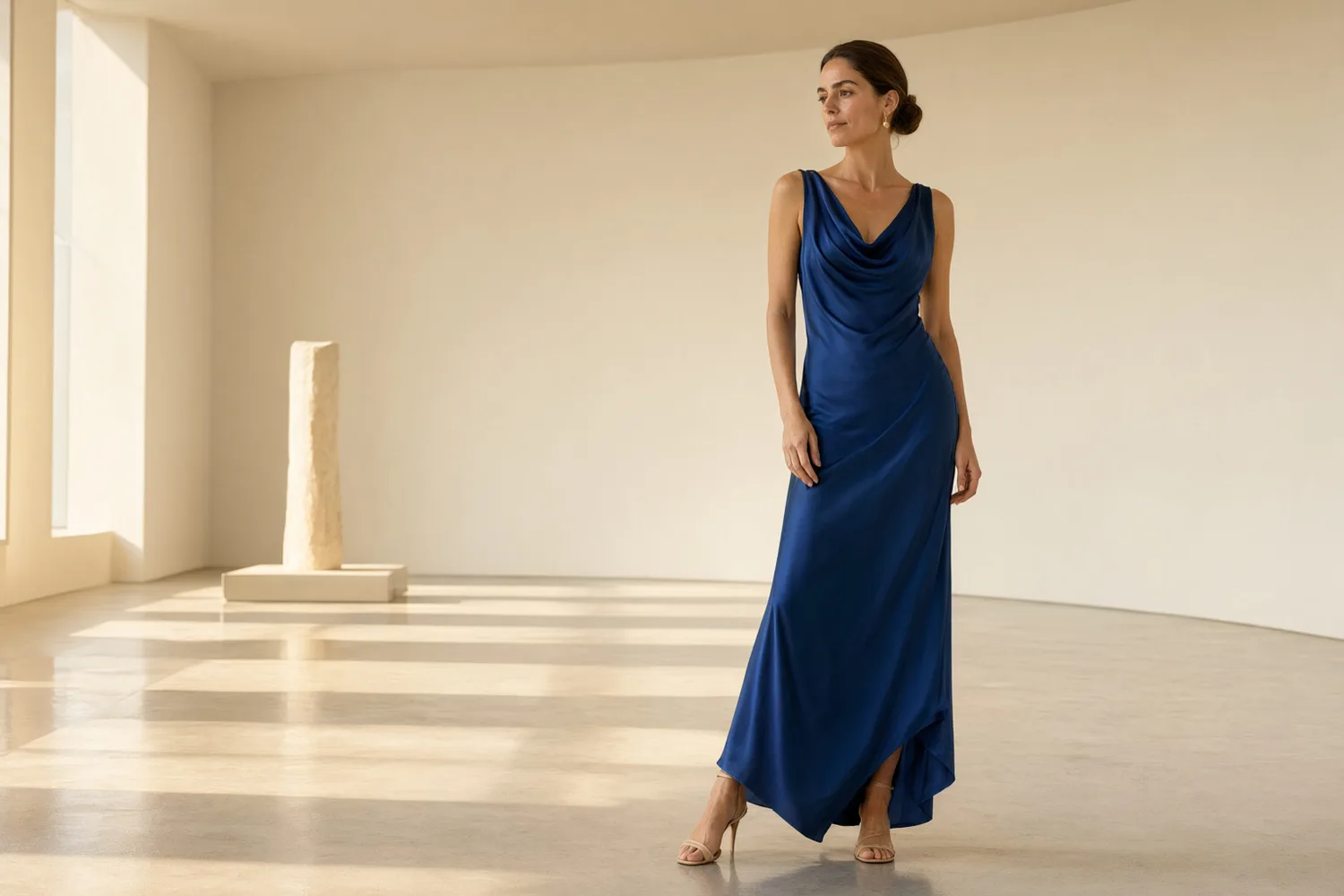
01 — Movement, not a pose. 
02 — Form, softened by light.


Website concept
Shape your own.
Hospitality / Casa Sol
Time to yourself.
A quiet courtyard, a long lunch and sunlight in no hurry.

Sometimes the best plan is to take your time.
Make yourself at home. Pull up a chair at the shared table. Let the morning last a little longer. Days here are made of simple pleasures: courtyard shade, an open window and a path to the water.
A place to return to, even on your first visit.
Light comes in first.
Linen, warm stone and open windows. Simple things, given thoughtful attention.

A long lunch. Good company.
Fresh ingredients, unscheduled conversation and another glass of cool water with lemon.

Every day has its own light.
Walk through the arch, leave a book on the sun lounger and find your moment by the water. Morning coffee, a quiet afternoon or the last warm light: any plan will do. Especially no plan at all.

Website concept
Keep this feeling.
Culture / FIELD
Color beyond the frame.
A museum where color becomes space. Look closer, move freely and find your own angle.

Look. Feel. Reconsider.
Art begins with your attention. Sometimes one step to the side makes a familiar shape entirely different.
Our exhibitions, conversations and workshops invite you into the work, rather than keeping you at a distance.

A field of possibilities.
Exhibition · Another angle. Color, scale and movement change how we see a space.
Workshop · Make a form. Explore a material, imagine a volume and make something with your hands.
Conversation · Take your time. A slow tour through the exhibition, with room for your questions.
Art takes up space.

A small experiment in perception: turn the sculpture, change its color and find an angle that feels like yours. One form can tell more than one story.
Bring your curiosity.
You do not need to know everything about art to begin looking. Choose an exhibition, leave time to wander and bring your questions.
FIELD has room for different perspectives. Spaces, conversations and workshops take the exhibition beyond a single room.
Website concept
Your perspective changes everything.
A design shaped around your purpose.

Catalogs. Your own product cards. 
Brand websites. Your own visual language. 
Cultural projects. Movement in the design. 
Product pages. Your own composition. 
Restaurants. Menus, events and stories. 
Travel. Places, routes and people.


More projects. Less repetitive work.
You define the brief and quality standard. An agent helps assemble pages, populate content and apply repeated changes; the freelancer or studio directs the work and accepts the result.
Progressive CMS is open-source software with no per-site CMS license fees. The source and release links are on the Download page.

For freelancers 
For studios 
For website owners


-
Freelancers
Explore
Spend more time on design while the agent helps with assembly, content and repeated tasks.
-
Studios
Explore
Use your own themes, a consistent process and a manageable handover to the client.
-
Website owners
Explore
Keep everyday updates straightforward and the website maintainable after delivery.
Your ideas deserve a website.
An idea you have carried for years can become a place people discover, explore and return to. Give it your own voice and room to grow beyond the feed.
Let your idea become a website.
A living website. A steady stream of ideas.
A new section: “Add our new service and connect it to related pages.”
An article: “Research this topic and prepare a useful, illustrated piece.”
An update: “Announce the opening of our new project.”
The agent prepares the changes; you review and direct them. After publication, you can still edit the text or replace a photograph yourself.
Search metadata is part of the workflow.
Use the agent to plan page structure, readable URLs, titles, descriptions, internal links and social images. Progressive CMS supports a sitemap and structured search metadata. Useful content and a clear structure remain your responsibility; the CMS does not promise search rankings.

Research the topic. Prepare the material.
Ask the agent to examine current sources and draft an illustrated article. With the appropriate extensions and service access configured, research, stock search and image generation can be used through the CMS. The same tools can also be used from the admin. You check the sources and choose what goes on your website.

Images that fit your idea.
“Find photographs for this article” or “Create a bright cover with this mood.” With configured services, the agent can suggest images and attach the selected ones to your content. You can also do this in the admin. Stock licenses and provider costs still need to be considered.

What enables research, stock search and image generation?
Configured extensions, service access and the relevant permissions. These services are not included merely by installing a theme.
Can I use my own photographs?
Yes. Upload your own images, choose stock with appropriate usage rights or generate illustrations for the task.
Who decides what gets published?
You set the rules. An agent prepares the work; the owner or an authorized team member reviews it and approves publication.
One website. Your whole team.
Owners, employees, studios, content teams, SEO specialists and AI agents can work in the same system. The owner grants permissions, reviews activity and revokes access. Preparing a change and publishing it are separate permissions.
Owner / team member

Edit pages, add images and review the result in the admin. The owner controls team access and publication permissions. Delegate routine preparation to an agent while a team member reviews the work.
AI agent

Prepare content, structure and theme changes through a dedicated account. Validate the work, open a preview and publish only with the required permission and authorization. The result remains part of the CMS, editable by people.
Design and development studio

Develop a theme, templates, components and animation. Test the design on real content before activation. Theme work does not require unrestricted control of the site. Agents can help with assembly and checks while the studio directs the design.
Content team

Manage articles, pages and images. Prepare a release while the client checks the content. Research and illustration services can support an agent’s work when configured; editors still direct and accept the material.
SEO team

Prepare titles, descriptions and social images. Grant access to content and structure only as needed. An agent can help with repetitive metadata work; the specialist sets the strategy, checks the changes and evaluates results.
A studio creates the design. An SEO team prepares search metadata. An agent populates sections. A team member reviews the content. Combine these ways of working and give each participant the access their task needs.
Connect the site to the rest of your work.
Use forms, configured email delivery, APIs and webhooks to carry website requests into your team’s workflow. Progressive CMS also has connectors for selected CRM and communication systems. Choose the actual connector, configure credentials and delivery rules, and check the receiving system. Explore the supported integrations.

How should your website work with your team?
Built and maintained by Progressive OS.
Progressive CMS is developed by Progressive OS, a company operating since 2011. The team reviews security, fixes issues, tests changes and releases updates as the product evolves.
Read about the technology, visit Progressive OS, or read Codex’s account of building this international site. Agents can also use the field guide.

Questions before you begin.
Do I need to code to explain the website I want?
No. Begin with an idea, references and feedback. An agent such as Codex or Claude Code needs a configured project environment and CMS access; technical setup is a separate step. Explore the workflow.
Can I edit the site after the agent finishes?
Yes. Pages, articles, text and photographs remain editable in the admin. You can alternate manual edits and tasks for an agent.
How can an agent help with SEO?
It can prepare page structure, titles, descriptions, internal links and images. The CMS supports a sitemap and search metadata. Rankings also depend on content, competition and other factors.
Can I download Progressive CMS now?
Yes. Progressive CMS is publicly available. Browse the source code or download and install a release from the Download page or contact the team about an implementation.

Three ways to begin.
A new website 
Migration 
Training


-
Implementation
Discuss implementation
A website on Progressive CMS with its own design, content structure, search metadata and forms. You review and accept the result.
-
Migration
Discuss migration
Move content, media, URLs and metadata. Keep your design or develop a new one, with checks before switching.
-
Training
Explore training
Learn the workflow on a real project: themes, structured content, agent tasks, review and publication.
What will your website become?
A new site, an existing project or the next client brief: start with the result you want. On Progressive CMS, an agent can help build it while you direct and accept the work. The public source code and installable releases are available now. Implementation, migration and training can be discussed with the team now.
Tell us what you have in mind.
